Aprilaire 600 Humidifier Wiring Diagram: A Comprehensive Guide
This guide unlocks your Aprilaire 600’s potential! Explore detailed wiring instructions, troubleshooting, and integration options, ensuring optimal performance and humidity control within your home environment.
Understanding the Aprilaire 600 Humidifier
The Aprilaire 600 is a popular whole-house bypass humidifier designed to add moisture to your home’s air during dry heating seasons. It integrates directly with your HVAC system, utilizing the furnace’s blower to distribute humidified air throughout your ductwork. Understanding its core components is crucial before tackling any wiring.
This model doesn’t use heat to create steam; instead, it relies on a water panel that’s continuously wetted by a solenoid valve. The bypass valve regulates the amount of air diverted across this wet panel, controlling humidity levels. A humidistat senses the air’s moisture content and signals the control board to activate or deactivate the solenoid and bypass valves. Proper wiring ensures these components work harmoniously, delivering consistent and comfortable humidity. Familiarizing yourself with these elements will simplify the installation and troubleshooting process.
Safety Precautions & Warnings
Electrical Safety First! Always disconnect power to your furnace and humidifier at the breaker box before beginning any wiring work. Failure to do so presents a serious risk of electrical shock. Verify the power is off with a non-contact voltage tester.
Water and electricity are a dangerous combination. Ensure all connections are dry before energizing the system. If you are uncomfortable working with electrical wiring, consult a qualified HVAC technician. Improper wiring can damage the humidifier, your furnace, or even create a fire hazard. Always follow local electrical codes and regulations. Wear appropriate safety glasses and gloves during installation. Double-check all connections before restoring power to prevent malfunctions and ensure safe operation.
Tools Required for Wiring
Essential Tools for a Smooth Installation: You’ll need a Phillips head screwdriver for securing wiring connections and mounting the control board. A flathead screwdriver is useful for terminal blocks. Wire strippers are crucial for preparing wires without damaging the conductors. A non-contact voltage tester verifies power is off, ensuring safety. Pliers assist with bending and manipulating wires.
A multimeter is helpful for testing continuity and voltage. Electrical tape provides insulation for exposed connections. A drill with appropriate bits may be needed for mounting. Consider a wire connector tool for faster, more secure connections. Having a flashlight or headlamp illuminates dark areas. Finally, a wiring diagram (like this guide!) is indispensable for accurate connections.
Wiring Diagram Overview
Visualize the connections! This section details the Aprilaire 600’s wiring, focusing on component locations and wire paths for successful installation and troubleshooting.
Identifying Key Components
Understanding the Aprilaire 600’s core elements is crucial for proper wiring. The humidifier unit itself houses the water panel and fan. The control board acts as the brain, managing operation based on humidity levels. A humidistat senses humidity and sends signals to the control board. The solenoid valve controls water flow to the water panel, while the bypass valve regulates water flow around the humidifier.
Power supply connections are vital for operation. Locate the transformer providing low-voltage power. Carefully identify the wiring terminals on each component; these are specifically designed for connection. Refer to the detailed diagram for precise locations. Recognizing these components before starting ensures a smooth and accurate wiring process, minimizing potential errors and maximizing system efficiency. Proper identification prevents damage and ensures safe operation.
Color Coding of Wires
Decoding the wire colors is essential for correct connections. Typically, black wires indicate hot power, while white wires represent neutral connections. Red wires often signify power to the solenoid valve, controlling water flow. Blue wires commonly connect to the humidistat, transmitting humidity signals. Green or bare copper wires are dedicated to grounding, ensuring safety.
However, variations can occur! Always verify wire functions with a multimeter and the specific wiring diagram for your model. Never assume color coding is universal; Incorrect connections can damage components or create safety hazards. Documenting each wire’s function before disconnecting is highly recommended. Consistent color coding simplifies troubleshooting and future maintenance, promoting a reliable and safe humidifier system.
Understanding the Control Board
The control board is the brain of your Aprilaire 600. It receives signals from the humidistat, manages power distribution, and activates the solenoid and bypass valves. Key components include terminals for power input, humidistat connection, valve control, and often, a fuse for circuit protection.
Carefully examine the board’s labeling. Terminals are usually clearly marked, indicating their specific function. Understanding these markings is crucial for accurate wiring. Avoid touching components directly to prevent static discharge damage. A faulty control board can cause various issues, from complete humidifier failure to erratic operation. Refer to the diagram for specific terminal locations and functions before making any connections.
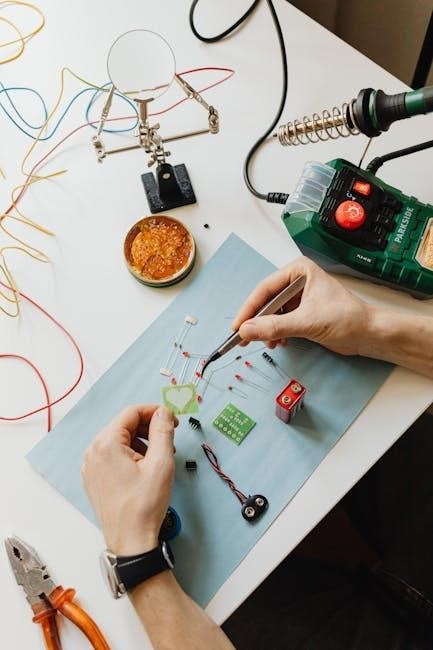
Step-by-Step Wiring Instructions
Follow these instructions carefully! Connect power, humidistat, solenoid, and bypass valves sequentially, referencing the diagram for correct terminal placement and secure connections.
Connecting the Power Supply
Ensuring a safe and reliable power connection is paramount. Begin by completely disconnecting power to your HVAC system at the breaker box before proceeding. Locate the designated 24VAC power input terminals on the Aprilaire 600 control board – typically labeled ‘R’ (hot) and ‘C’ (common). Using appropriately sized wire (typically 18-22 gauge thermostat wire), connect the ‘R’ wire from your HVAC system’s transformer to the ‘R’ terminal on the control board.
Similarly, connect the ‘C’ wire from the transformer to the ‘C’ terminal. Double-check polarity and secure connections with wire nuts or terminal screws. A loose connection can cause intermittent operation or damage. Verify that the transformer output voltage matches the Aprilaire 600’s requirement (usually 24VAC). Never connect line voltage (120V/240V) directly to the control board, as this will cause immediate and irreparable damage. Once connections are verified, restore power to the HVAC system.
Wiring the Humidistat
The humidistat acts as the brain, signaling the humidifier when to activate. Identify the humidistat wiring terminals on both the Aprilaire 600 control board and your installed humidistat. Typically, these are labeled ‘H’ (humidistat call) and ‘C’ (common). Using thermostat wire, connect a wire from the ‘H’ terminal on the control board to the corresponding ‘H’ terminal on the humidistat.
Connect another wire from the ‘C’ terminal on the control board to the ‘C’ terminal on the humidistat. Ensure secure connections to prevent signal interference. Some humidistats may have additional terminals for features like fan control; consult your humidistat’s manual for specific wiring instructions. Proper humidistat wiring is crucial for accurate humidity sensing and reliable humidifier operation. Verify the wiring diagram matches your specific humidistat model.
Connecting the Solenoid Valve
The solenoid valve controls water flow to the humidifier. Locate the solenoid valve wiring terminals on the Aprilaire 600 control board, usually labeled ‘V’ (valve) and ‘C’ (common). Connect a wire from the ‘V’ terminal on the control board to one of the solenoid valve terminals. Then, connect another wire from the ‘C’ terminal on the control board to the remaining solenoid valve terminal.
Double-check polarity isn’t a concern with these low-voltage connections. Securely fasten the wires to the terminals to prevent loose connections and ensure reliable valve operation. A properly connected solenoid valve is essential for the humidifier to add moisture to your home’s air. Refer to the Aprilaire 600 wiring diagram for precise terminal locations and confirm a secure fit;
Wiring the Bypass Valve
The bypass valve regulates water flow during freezing temperatures. Locate the bypass valve wiring terminals, often near the solenoid valve. Connect a wire from the control board’s designated ‘B’ (bypass) terminal to one terminal on the bypass valve. Then, connect another wire from the ‘C’ (common) terminal on the control board to the remaining bypass valve terminal.
Ensure a secure connection to prevent malfunctions. The bypass valve prevents water from freezing in the humidifier during cold weather, protecting the unit from damage. Proper wiring is crucial for this safety feature. Consult the Aprilaire 600 wiring diagram for specific terminal locations and verify a tight, reliable connection for optimal performance and freeze protection.
Troubleshooting Common Wiring Issues
Diagnose and resolve wiring problems swiftly! This section provides solutions for no power, non-operation, and inaccurate readings, restoring your humidifier’s functionality.
No Power to the Humidifier
Identifying the Issue: A complete lack of power to your Aprilaire 600 humidifier often points to a few key areas needing investigation. First, verify the power supply at the furnace or designated electrical source. Check the circuit breaker or fuse responsible for the humidifier’s power; a tripped breaker or blown fuse is a common culprit.
Wiring Checks: Carefully inspect the wiring connections at the control board. Ensure all wires are securely fastened and haven’t become loose due to vibration or accidental contact. Look for any signs of damaged wiring – frayed insulation or corroded connectors – which could interrupt the power flow. Use a multimeter to confirm voltage is reaching the control board.
Transformer Test: If voltage is present at the power source but absent at the control board, the transformer may be faulty and require replacement. Consult the wiring diagram to accurately identify the transformer’s location and test its functionality. Remember to disconnect power before performing any electrical tests!
Humidifier Not Turning On
Troubleshooting Steps: If your Aprilaire 600 receives power but fails to activate, the issue likely lies within the control circuit. Begin by checking the humidistat – ensure it’s set to a humidity level higher than the current room humidity. A faulty humidistat can prevent the humidifier from signaling the control board to operate.
Solenoid Valve Inspection: Verify the solenoid valve is receiving a signal from the control board. Use a multimeter to test for voltage at the solenoid valve connector when the humidistat calls for humidity. A non-responsive solenoid valve may need replacement.
Control Board Diagnostics: If the solenoid valve isn’t receiving power, the control board itself could be defective. Refer to the wiring diagram to confirm proper connections and look for any visible signs of damage on the board. Consider professional assistance if you’re uncomfortable diagnosing the control board.
Incorrect Humidity Readings
Calibration is Key: Inaccurate humidity readings from your Aprilaire 600 often stem from a miscalibrated humidistat. Most humidistats feature an adjustment screw allowing for fine-tuning. Compare your humidistat’s reading to a calibrated hygrometer for accurate comparison and adjustment.
Sensor Location Matters: Ensure the humidistat isn’t positioned near heat sources, drafts, or direct sunlight, as these factors can skew readings. Optimal placement is on an interior wall, away from external influences.
Wiring Integrity Check: Inspect the wiring connecting the humidistat to the control board. Loose connections or damaged wires can cause erratic signals. Consult the wiring diagram to verify correct connections. If issues persist, consider replacing the humidistat.
Advanced Wiring Configurations
Expand your system’s capabilities! Explore integrating the Aprilaire 600 with external controls or smart home platforms for enhanced automation and convenience.
Wiring with External Controls
Integrating external controls allows for customized humidity management beyond the standard humidistat. This often involves connecting a separate control panel, potentially offering features like programmable schedules or remote access. When wiring, identify the appropriate terminals on the Aprilaire 600 control board designated for external input – typically labeled for a remote humidistat or control signal.
Carefully consult the documentation for both the Aprilaire 600 and the external control system to ensure compatibility and proper wiring configuration. Incorrect wiring can damage components or lead to malfunction. A common setup involves using a relay to switch the solenoid valve based on signals from the external controller. Always disconnect power before making any connections, and double-check all wiring before restoring power. Proper grounding is crucial for safety and reliable operation.
Integrating with Smart Home Systems
Modernizing your Aprilaire 600 involves seamless integration with popular smart home platforms. This typically requires a compatible smart thermostat or a dedicated interface module. These modules translate smart home signals into commands the Aprilaire 600 understands, enabling control via voice assistants or smartphone apps.
Wiring often involves connecting the smart home interface to the Aprilaire 600’s control board, utilizing low-voltage wiring for signal transmission. Ensure the interface module supports the Aprilaire 600’s communication protocol. Configuration within the smart home app is essential, mapping the humidifier’s functions to the desired controls. Remember to prioritize security when connecting to your home network and regularly update firmware for optimal performance and protection against vulnerabilities.
Maintenance and Care
Regular checks are vital! Inspect wiring annually for damage, corrosion, or loose connections, ensuring safe and efficient operation of your Aprilaire 600.
Regular Inspection of Wiring
Consistent wiring inspections are paramount for maintaining a safe and functional Aprilaire 600 humidifier. At least annually, and ideally during your system’s seasonal shutdown, meticulously examine all wiring connections. Look for signs of corrosion, particularly at terminals and splices, as this can impede electrical flow and create a fire hazard.
Check for any frayed or cracked wire insulation, immediately addressing any damage with appropriate electrical tape or wire replacement. Ensure all wire nuts are securely fastened and that no bare wires are exposed. Verify that the wiring pathways are clear of obstructions and aren’t subject to physical stress or abrasion. A proactive approach to wiring inspection prevents unexpected failures and extends the lifespan of your humidifier system, guaranteeing consistent and reliable performance.
Cleaning and Replacing Components
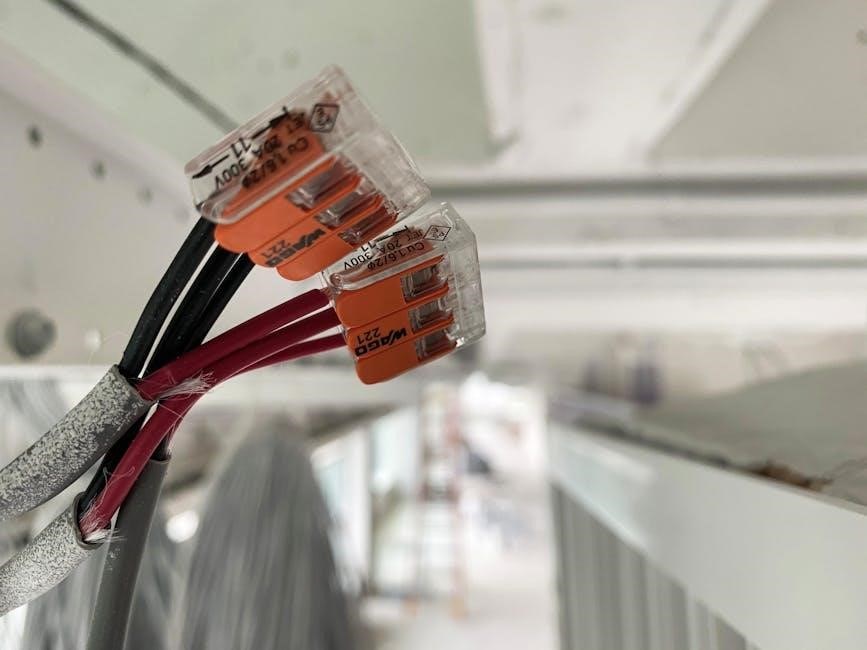
Maintaining optimal performance requires periodic cleaning and component replacement. Before any maintenance, always disconnect power to the humidifier. Gently clean the control board and solenoid valve connections with a dry cloth to remove dust and debris, avoiding any liquid cleaners. Inspect the solenoid valve for mineral buildup; carefully remove and clean or replace if necessary.
The humidistat may require occasional cleaning of its sensor. Wires showing signs of wear, cracking, or corrosion should be replaced with appropriately sized replacements, ensuring secure connections. Regularly check the bypass valve for proper operation and replace it if it’s malfunctioning. Following these steps ensures efficient operation and prolongs the life of your Aprilaire 600 humidifier.
Resources and Support
Access official Aprilaire support and comprehensive wiring diagrams online. Find manuals, FAQs, and expert assistance to resolve any issues quickly and efficiently.
Aprilaire Customer Support
Need direct assistance with your Aprilaire 600 humidifier wiring? Aprilaire provides multiple avenues for support, ensuring you receive the help needed to confidently tackle any installation or troubleshooting challenges. Their dedicated customer service team is equipped to answer specific questions regarding your wiring diagram and component functionality.
You can reach Aprilaire customer support through their official website, where a wealth of resources, including detailed manuals and frequently asked questions, are readily available. Alternatively, a direct phone line connects you with knowledgeable representatives prepared to guide you through the wiring process step-by-step.
Don’t hesitate to leverage their expertise – they are committed to ensuring your Aprilaire 600 operates flawlessly, providing optimal humidity control and indoor air quality. Their support extends to clarifying color coding, identifying components, and resolving any wiring-related issues you may encounter.
Online Wiring Diagrams & Manuals
Accessing comprehensive resources is crucial for a successful Aprilaire 600 wiring project. Numerous online platforms host detailed wiring diagrams and downloadable manuals, offering visual guidance and step-by-step instructions. These resources often include high-resolution schematics, component lists, and troubleshooting tips, empowering you to confidently navigate the installation process.
Official Aprilaire websites and authorized distributor sites are excellent starting points, providing authentic and up-to-date documentation. Furthermore, online forums and HVAC-focused communities frequently feature user-submitted diagrams and shared experiences, offering valuable insights from fellow enthusiasts.
Before commencing any wiring work, thoroughly review these materials to familiarize yourself with the system’s layout and electrical connections. Having readily available diagrams ensures accuracy and minimizes the risk of errors during installation or repair.